
How To Create a Teads Conversion Pixel and Track Conversions in Shopify
If you use Shopify to power your online store, tracking conversions is essential for measuring campaign performance and optimizing your marketing efforts. Teads now offers a simplified process to integrate the Teads Conversion Pixel directly within your Shopify site.
Watch this short video or read below for a step-by-step guide to creating and installing the Teads pixel in Shopify, so you can start tracking conversions with ease.
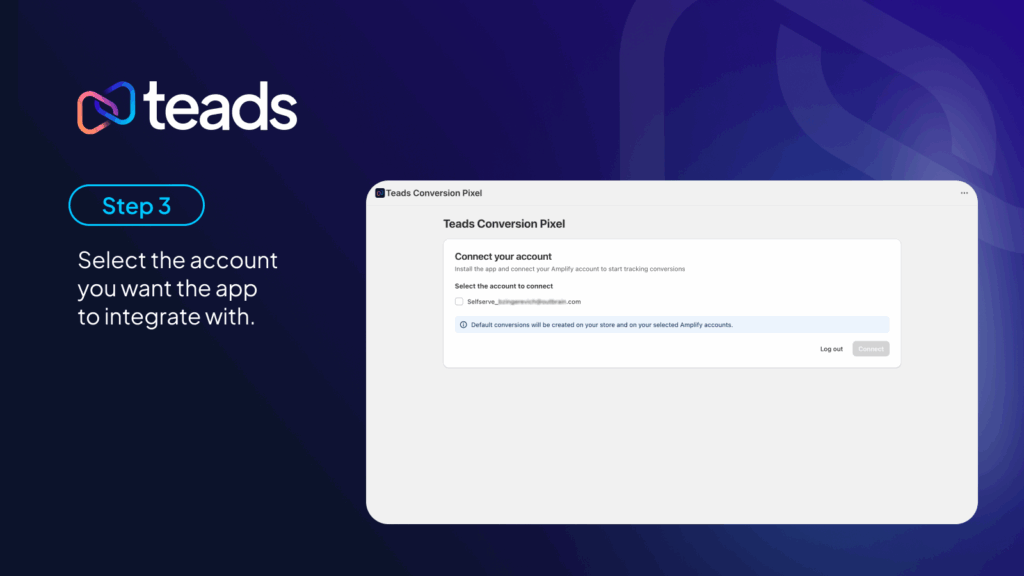
How to create a Teads conversion pixel in Shopify



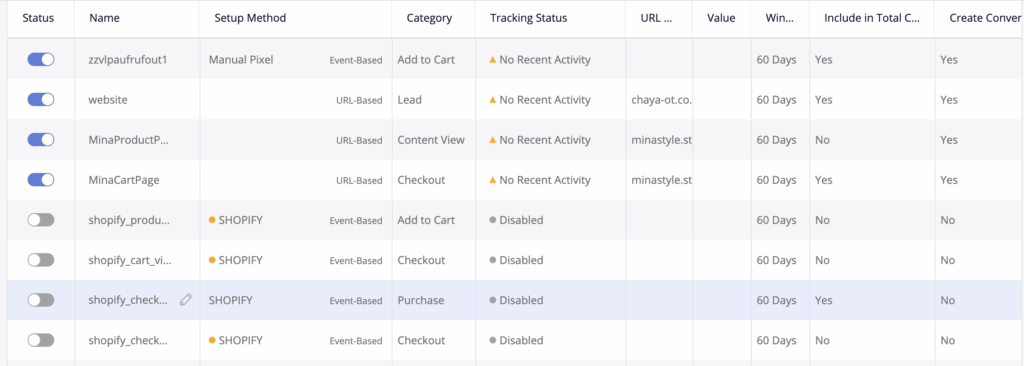
Once set up, you will automatically see the new conversions in your Amplify account:
For Reference:
Shopify’s Pixel’s Privacy: https://shopify.dev/docs/api/web-pixels-api/pixel-privacy
Configuring customer privacy settings for Shopify: https://help.shopify.com/en/manual/privacy-and-security/privacy/customer-privacy-settings/privacy-settings