
What is the Clone Feed feature?
Similar to the “copy settings” feature in AMPM, it allows you to copy the settings of a feed into another one. This is very useful for Publisher Groups that have similar integrations across their sites for example.
Main features are:
- Ability to copy all settings or specific groups of settings.
- Ability to opt-out specific sub-settings.
- Ability to clone one widget to multiple widgets.
- Ability to clone to a New ID.
- Ability to clone from Draft to Draft or Product to Draft.
How can I use it?
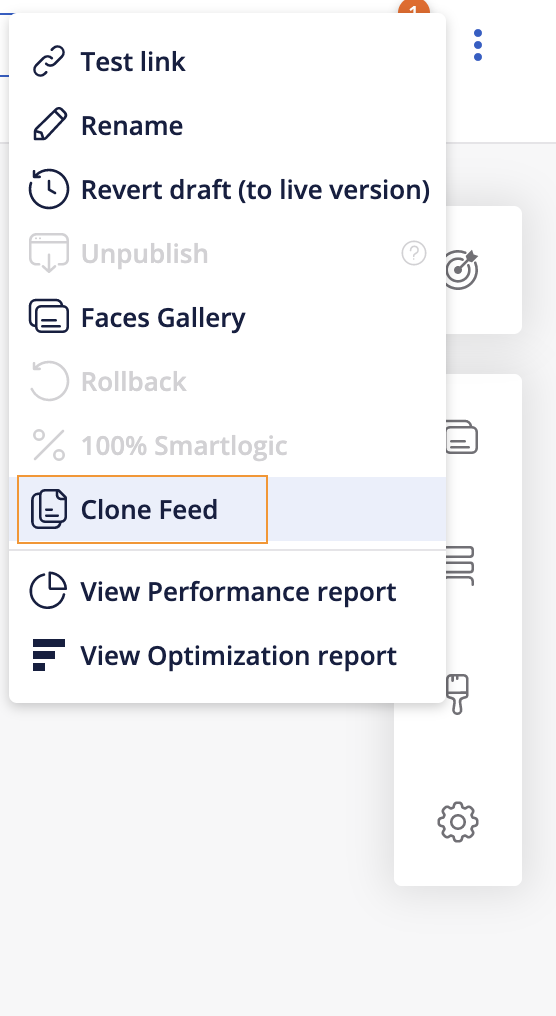
1. Click on “Clone feed” in the 3 dots menu available on the top right hand side of the Studio tab:
2. Choose between Clone to “Existing” (ID already exists in Studio) or “New” (ID needs to be created).
3. Select the current and export modes.
4. Untick any setting or sub-setting you do not wish to be copied.
5. Click on “Clone”.
! If you have copied to Draft mode, you then need to Publish the ID to see the changes in live.
To read about the Clone Feed feature limitations, please check this article.