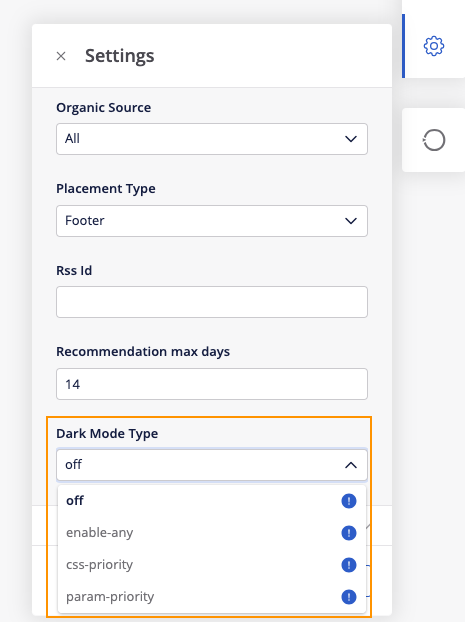
How can I set up Dark Mode on my ID(s)?
Setting location: “Settings” -> Dark Mode Type
4 different options (descriptions available in tooltips, by hovering on the “!” icons):
- Off: dark mode support is disabled. No dark mode CSS will be returned.
- Enable-any: if a dark mode indication is detected, use either the CSS-priority or Param-priority option.
- CSS-priority: if the partner mode changes from dark/light based on OS or Browser settings. We detect if the user has changed the OS / Browser settings to dark mode and we automatically change the widget colors to accommodate.
- Param-priority: if the partner has their own light/dark mode toggle. In this case we will use a parameter that is sent by the client code to apply dark mode settings. Please note this option requires a case (we may need additional info from the publisher) and cannot be activated by PMs via Studio.